
Better trading starts
with better research
Go beyond backtesting and journaling. Recording trades is the easy part. Our research tools help you turn them into better strategies.
- Backtesting
- Trading Journal
- Strategies
- Analytics
- Research

 Tradovate
 cTrader
 MetaTraderSoon
FEATURES THAT WORK TOGETHER
Tools to test, understand and improve your trading
Test your edge
Replay the markets. Test your ideas across multiple variations, and analyze your strategy before you go live. ChartLooper supports Forex, Futures, and Stocks.
Explore BacktestingLearn from the trades you take
Bring your trades, charts and notes together. Review your decisions, spot patterns, and take what you learn into the next session.
Explore Trading Journal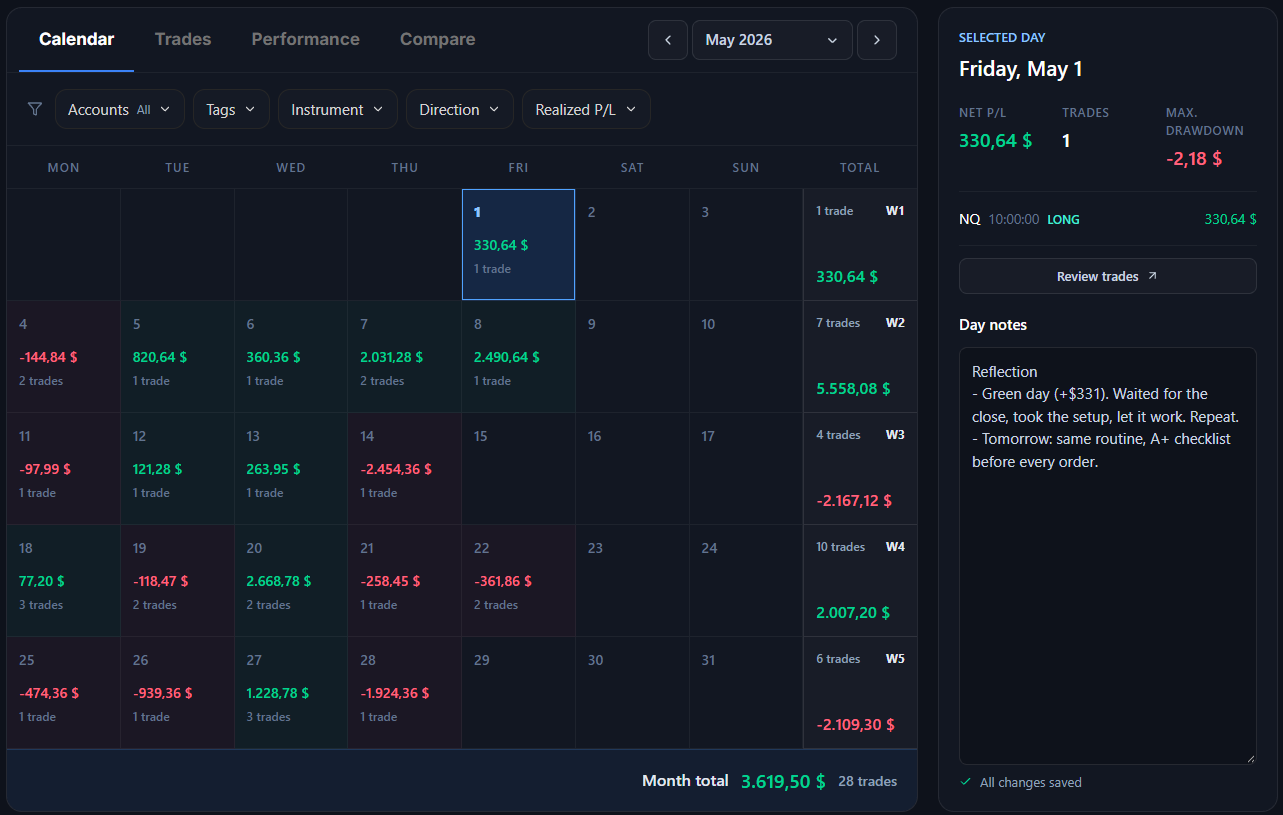
Give every trade a bigger picture
Connect your backtests and journal trades to a strategy. Review its trades, track performance, and compare approaches in one place.
Explore Strategies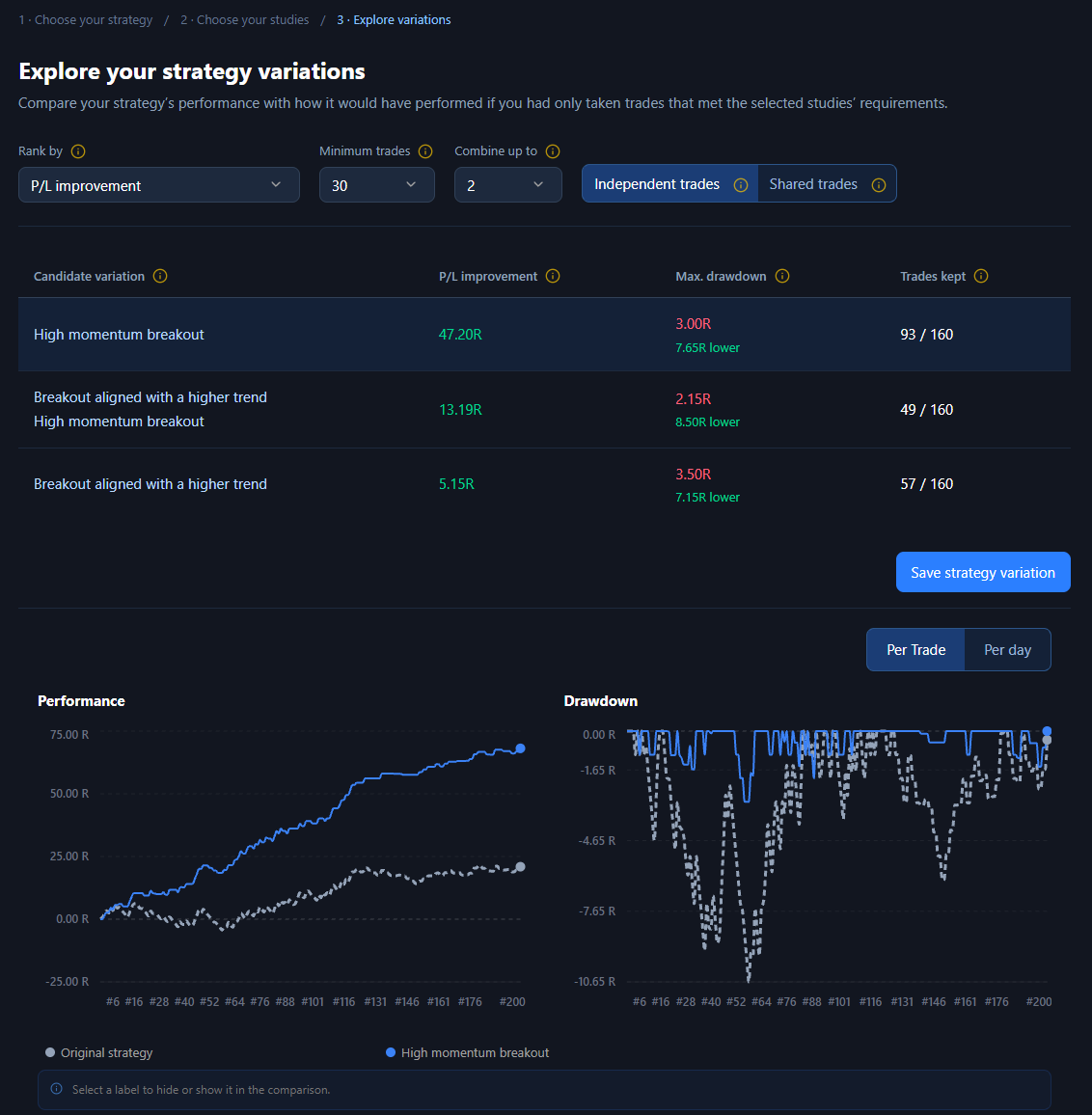
Turn observations into better strategies
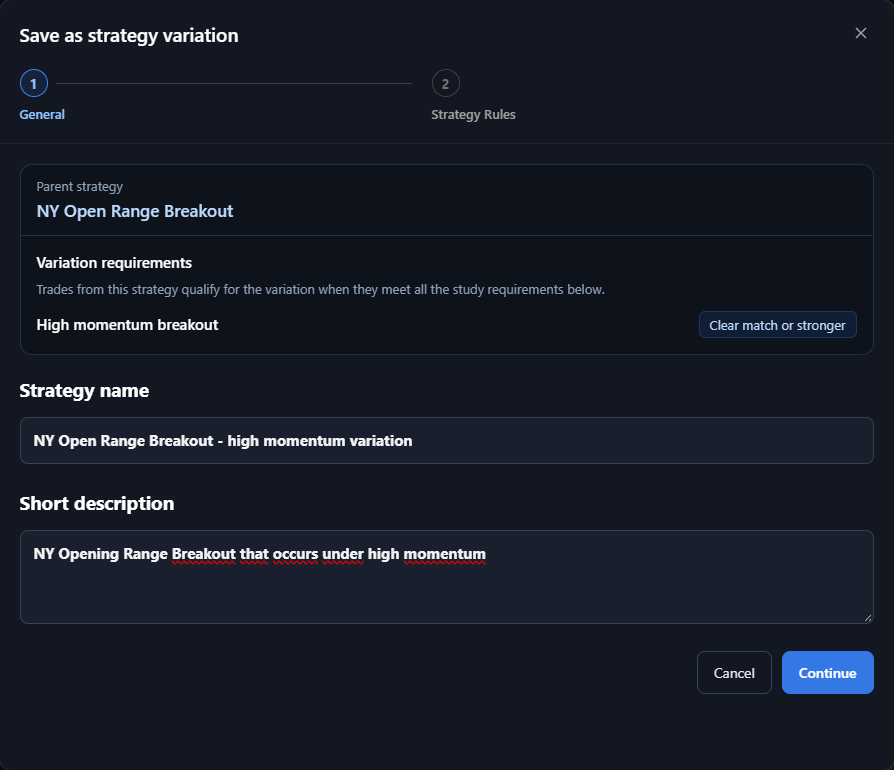
Study your trading concepts, compare the results, and explore promising variations. Find out which decisions make a difference across your backtests and journal trades.
Explore Research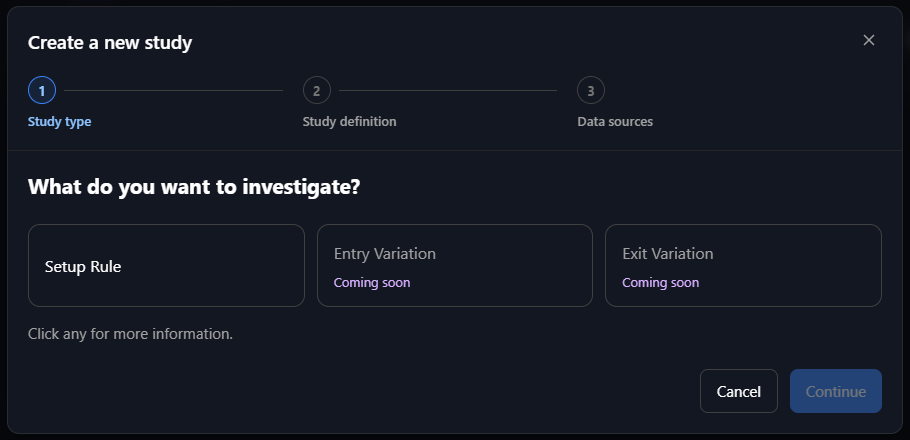
Understand every number behind your results
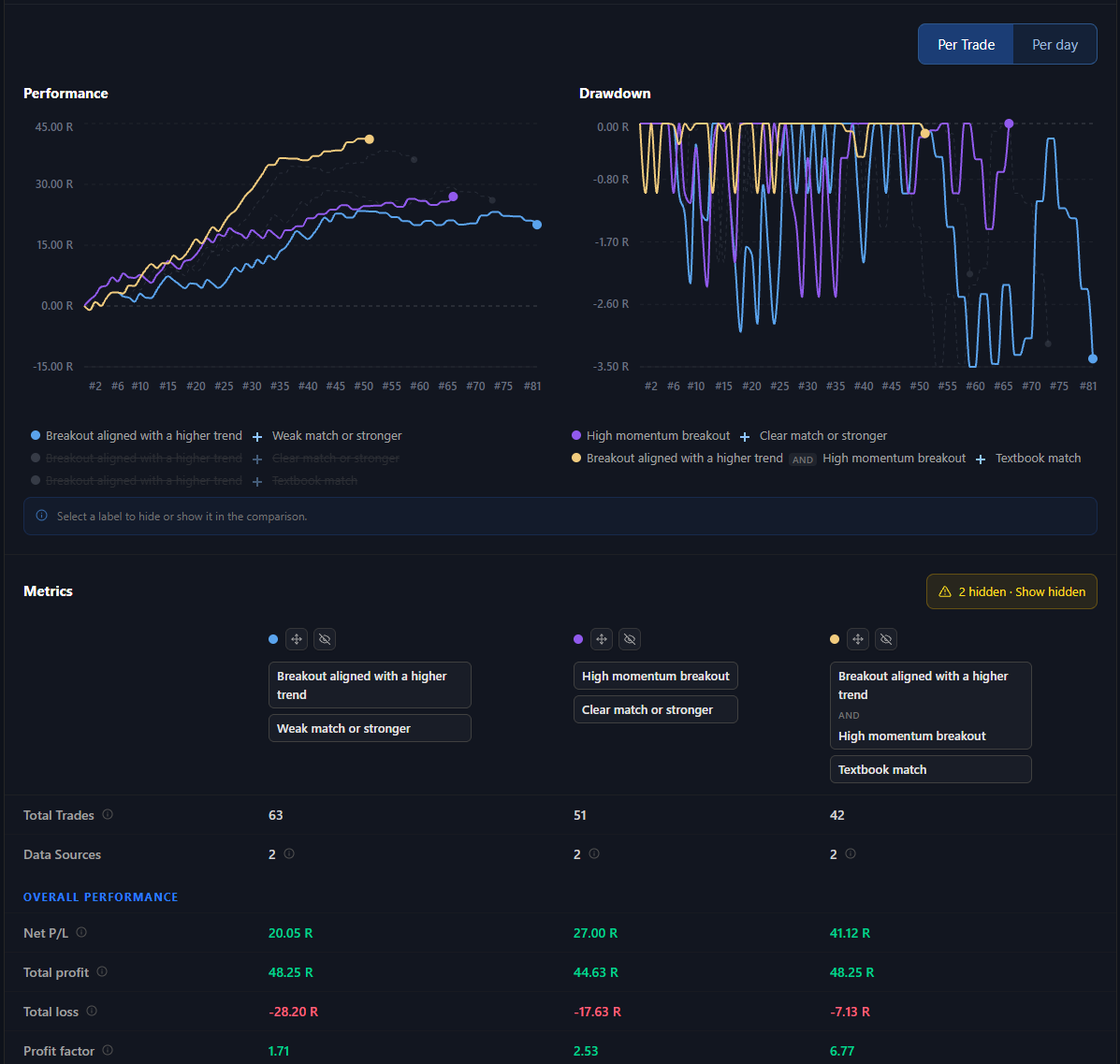
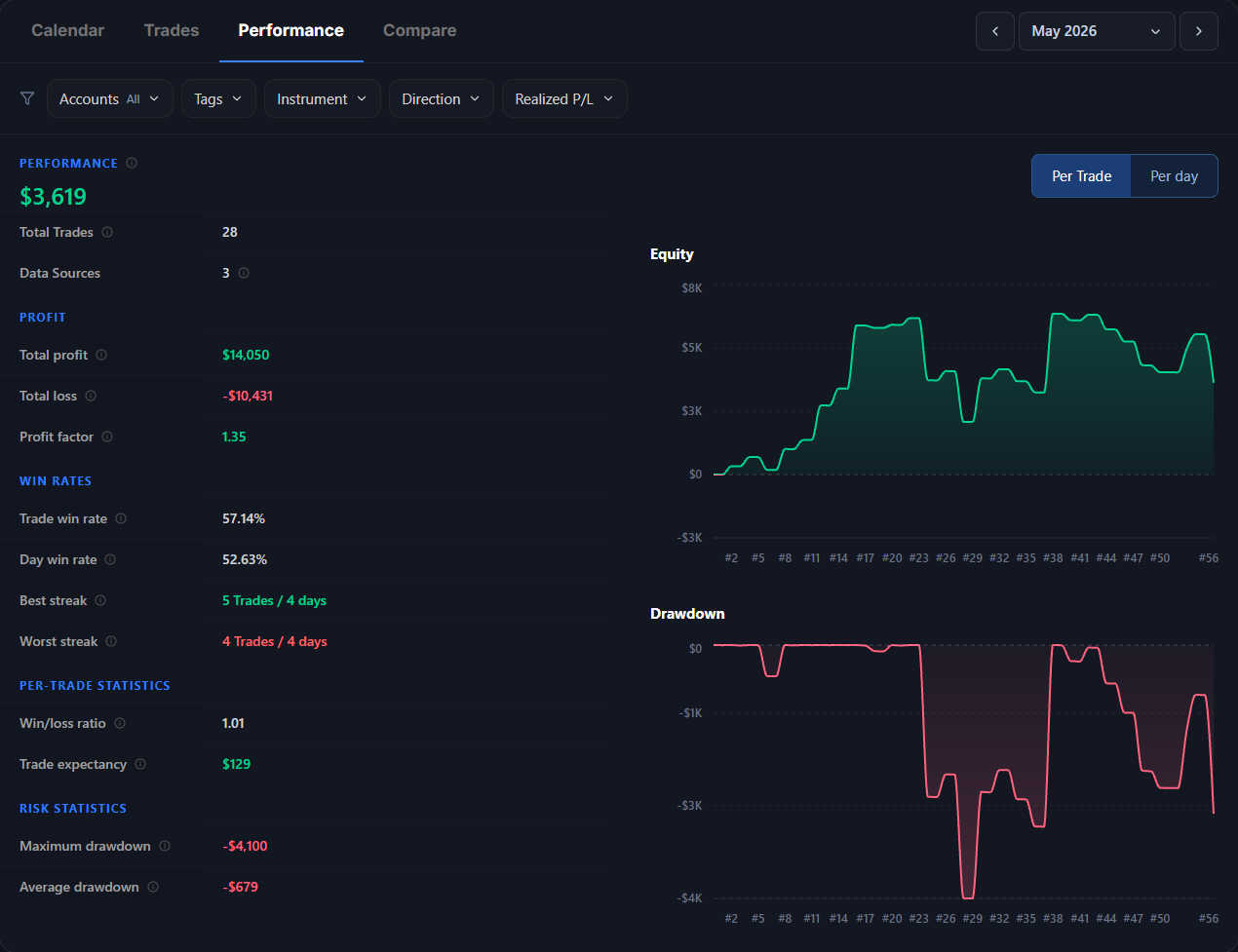
Rich analytics across your backtests, live journal and Strategies. Filter by account, tag, instrument, direction, date or P/L, then compare any of them side by side to see where your results really come from.
THE IMPROVEMENT CYCLE
Test, trade, connect and improve
ChartLooper is designed to take you beyond collecting backtests and live trades. Connected research tools help you explore what works and what doesn’t, so you can build new strategies or improve existing ones.
FAQ
A few things worth knowing
What sets ChartLooper apart from other backtesting and journaling software?
Most tools stop once your trades are recorded. ChartLooper starts there. On top of backtesting and live journaling sits a full process for building and improving strategies: connect your trades to a Strategy, research which Trading Concepts actually work, and save the better version as a new Strategy. You can even test new concepts without placing new trades. Then you do it again. Test, trade, research, improve, loop by loop.
Why backtest with ChartLooper?
Because you get through a backtest much faster. Every feature you'd expect is there, from multi-timeframe charts, rewinds and session jumps to Partial Exits and hotkeys, with fewer clicks, fewer drags, no lag and high-quality data. And you can trade several strategy variations in one backtest: analyze once, execute different ideas against the same price action, and compare the results side by side. Still not sure? Try the demo without signing up and get a feel for it.
Why journal with ChartLooper?
Because your journal doesn't just record your trades, it helps improve your strategy. Everything you'd expect is there, from broker sync and CSV import to a P/L calendar, daily plans, checklists and detailed analytics. On top of that, each account feeds a Strategy, so your live trades sit next to your backtests and go straight into Research.
What are Strategies?
A Strategy is the home for one trading approach. Set it up once, connect your backtesting sessions and journal accounts, and every new trade lands in it automatically. You see whether your backtest edge holds up live, and how the Strategy compares with your others. It is also where improvement starts: Research finds a better version, you save it as a new Strategy, then improve that one too. Loop by loop, your strategy gets better.
What does Research do?
Research shows which of your Trading Concepts actually carry your edge, without waiting weeks for new trades. Pick a concept you check at the entry, such as "Pullback into a fair value gap", and test it on the backtests and live trades you already have. You rate each trade before you see how it ended, so hindsight can't skew the result. It works for new ideas and for the concepts you already trade, showing whether, and how much, each one contributes. Then save the better version as a new Strategy and research that one too. Every loop makes your trading a little better.
Which instruments are supported?
ChartLooper currently supports Forex, Futures, and major Stocks.
What is the data source?
Historical market data comes from one of the largest and most reliable data providers. ChartLooper stores OHLCV bars across every timeframe, from 1 minute to monthly, so any resolution is ready to use.
NinjaTrader® is a registered trademark of NinjaTrader Group, LLC. No NinjaTrader company has any affiliation with the owner, developer, or provider of the products or services described herein, or any interest, ownership or otherwise, in any such product or service, or endorses, recommends or approves any such product or service.